Built for utility-led backflow programs.
The primary buyer is the utility or municipal team responsible for compliance, reporting, and public health risk. The product becomes more useful when testers and partners can still work in the same system through scoped workflows.
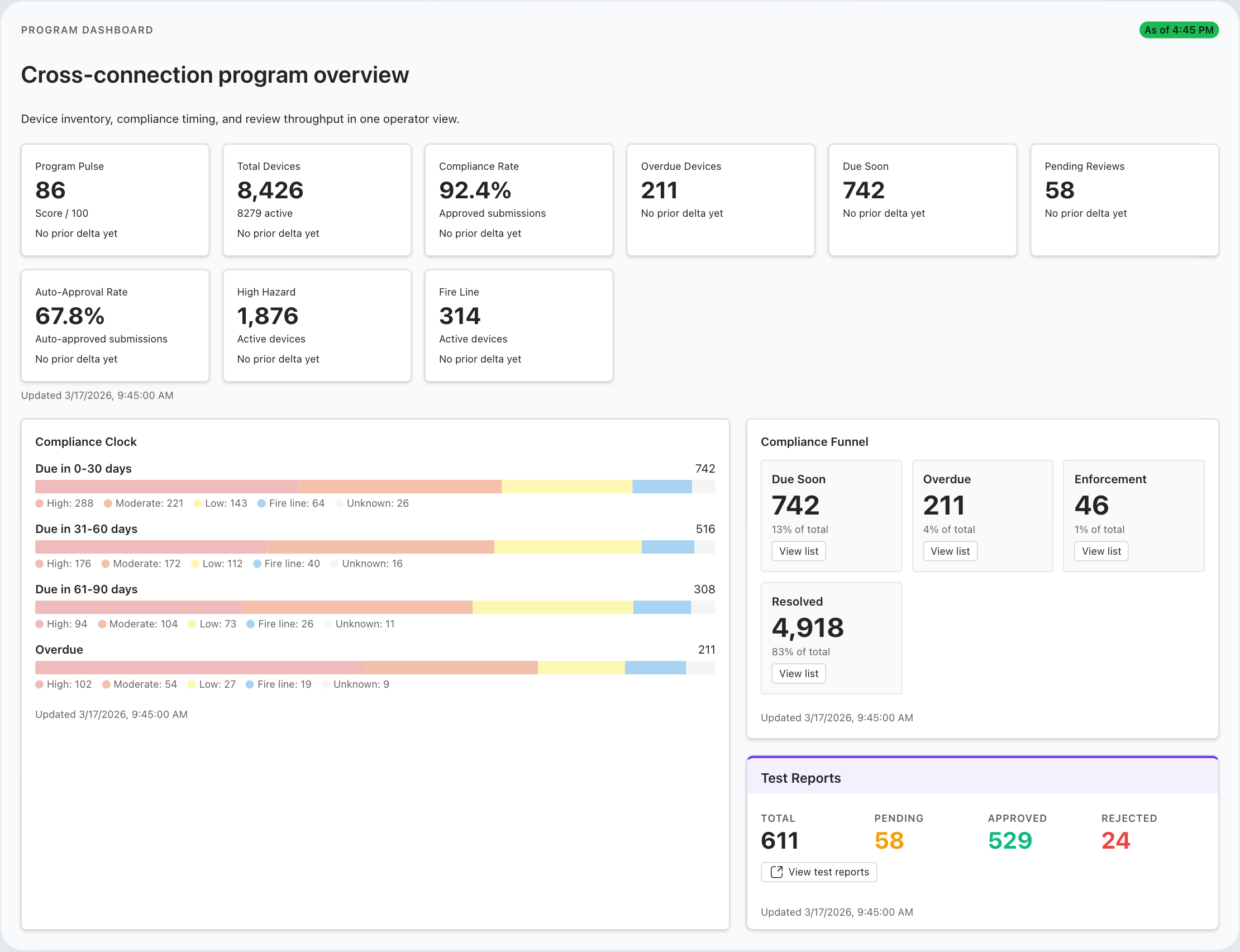
Best fit for utilities that need stronger control and cleaner participation.
BackflowCore.ai is designed for teams that need registry accuracy, submission control, compliance visibility, and a more structured way to coordinate with external testers and service partners.
- When the utility needs the canonical assembly and property record instead of spreadsheets, inboxes, and hand-built exports.
- When testers need approval, credential tracking, kit gating, and faster submission paths than paper or email.
- When managers need clearer visibility into due soon, overdue, and unresolved work across the program.
- When consultants or partners need a serious evaluation around workflow design and implementation readiness.
Utility-led evaluation
Start with program visibility, registry quality, notice history, queue pressure, map context, and reporting rather than a single submission form.
Tester and partner fit
The product gets stronger when testers and service partners can act inside the workflow without weakening internal control.
Best fit today
Strongest current fit is registry, readiness, submissions, compliance operations, dashboards, map visibility, and hazard-related follow-up.
Four distinct roles, one authoritative program record.
Each role sees a different operating surface, but the utility remains in control of the canonical backflow record and the compliance history attached to it.
Water utilities and municipalities
Own the registry, approvals, review queues, notices, dashboards, map workflows, communication traceability, and reporting.
CCC managers and compliance staff
Need current visibility into due soon, overdue, failed, and unresolved work without stitching the program together manually.
Certified testers
Need a cleaner path to maintain readiness, find the right device, submit digitally, and see whether their work needs action.
Consultants and industry partners
Can evaluate implementation fit, workflow maturity, and how the platform supports the programs they advise or support.
The product is strongest when coordination is the hard part.
If the pressure comes from handoffs between internal staff, external testers, service partners, and regulated properties, BackflowCore.ai becomes more valuable because the utility does not have to rebuild that chain manually.
- Registry, readiness, and submissions all point back to the same assembly and property record.
- Partner and customer workflows can be enabled without handing out full admin visibility.
- Dashboards, queues, reports, and communication traceability give program leaders the oversight layer they actually need.
Scoped portal workflows
Separate experiences for testers, provider admins, and customer-facing participation.
Queue-based utility control
Approvals, review, notices, and follow-up stay with utility staff.
Shared record integrity
Every actor works around the same assembly, property, and compliance history.
Deeper enforcement automation
More advanced penalty and lock-off automation remains next-stage depth, not the core fit today.
Start the demo from the role carrying the most program pressure.
Most utility teams get the clearest evaluation by starting with the internal control view, then moving into the external workflow they need most: tester, service partner, or implementation partner.
- Utility leaders Start with dashboards, registry quality, review queues, and communications traceability.
- Tester-heavy programs Move next into readiness, kits, submissions, and portal workflows.
- Implementation teams Validate registry setup, reporting expectations, and rollout support.